Dead links and duplicates
Bookmark Ace checks your links for pages that have gone and finds addresses you saved twice.
Dead links
Bookmark Ace visits your bookmarked pages now and then to see whether they still exist. A page that can't be reached twice in a row is marked dead: it is shown with a line through it, and hovering over it says when it was checked and what went wrong.
- Nothing is ever deleted for you. Decide yourself whether to delete or edit it.
- To check one again now, right-click it and choose Validate.
- Some sites refuse automatic visits. To stop checking a bookmark, choose Edit... and check Exclude from link checks.
- Choose how often links are checked (every day, week or month, or never) under Check links for dead pages in Settings.
The status bar shows how many dead links you have. To go through them, click Dead links in the Organizer's toolbar. It lists every dead link with its folder, what went wrong and when it was checked.
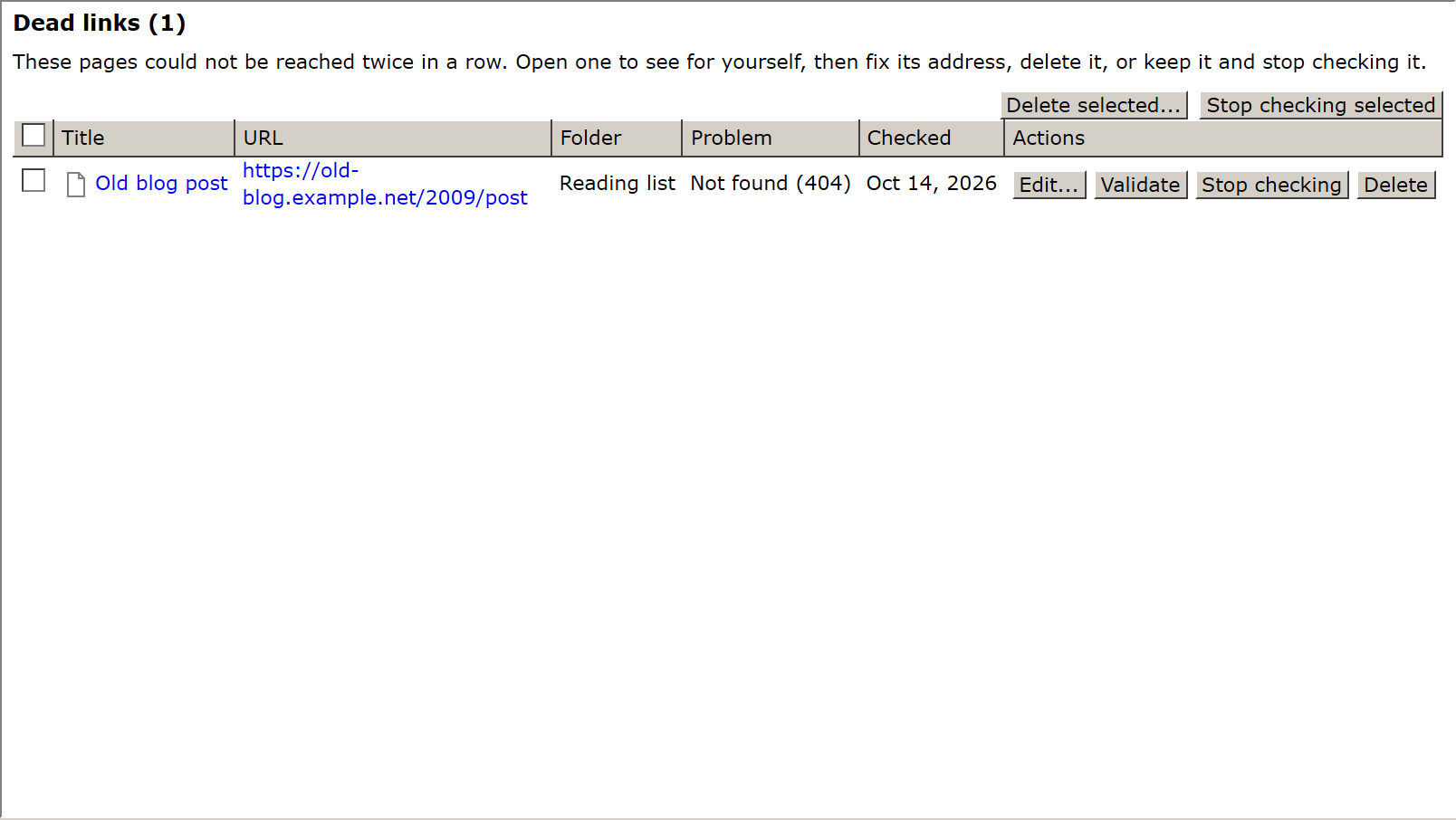
For each one you can:
- click its title or address to open the page in a new tab and see for yourself (the list stays where it was);
- click Edit... to fix its address (a new address is checked again straight away);
- click Validate to check it again now;
- click Stop checking to keep it as it is (for sites that refuse automatic visits);
- click Delete to move it to the Trash, where it stays for 30 days.
Check several rows to delete them, or stop checking them, all at once with Delete selected... or Stop checking selected.
Duplicates
Click Duplicates in the toolbar of the Organizer. Each group shows bookmarks with the same address, even if one has www. or a slash at the end and the other doesn't.

- Choose the one to Keep.
- Click Merge into the kept one.
The kept bookmark gets all their tags and visits; the others go to the Trash.