Search and the filter box
Narrow the tree as you type, or press Enter to search all your bookmarks, titles, addresses and descriptions.
There are two kinds of search, both in the box above the tree.
Filter: as you type
Type a few letters. The tree shows only the bookmarks whose title or address contains them, inside their folders. Folders whose names match are shown too.
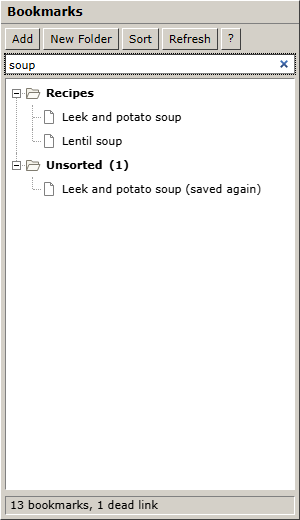
#recipesshows only bookmarks tagged "recipes" (or any tag starting with "recipes").#recipes soupshows bookmarks tagged "recipes" with "soup" in the title or address.- Click × in the box, or clear it, to see the whole tree again.
Search: press Enter
Press Enter in the box to search everything: titles, addresses and descriptions, in all folders. The results appear on the right of the Organizer, with the folder each one is in.
Click a pressed button (for example List) or a folder to go back.
Find
Find in the Organizer's toolbar puts the cursor in the box, ready to type. The sidebar and the extension have no Find button: the box is right under their toolbar.